

The inspector can speak more than one version of the MCP protocol. By default it negotiates whatever the SDK considers current, but you can pin a different version when you want to test how your server behaves against a specific draft — including the new 2026-07-28 stateless RC. This page covers how to pick a version. Automatic per-server version detection is on the roadmap; for now you tell the inspector which version to use.Documentation Index
Fetch the complete documentation index at: https://mcpjam-mintlify-docs-update-pr-2363-1780346363818.mintlify.app/llms.txt
Use this file to discover all available pages before exploring further.
Where the setting lives
There are two places to set a version, and they layer:- Client → MCP Protocol — the host default applied to every server attached to that Client.
- Server card → Edit → Advanced settings → Protocol version — a per-server override that wins over the host default.
Available versions
| Option | Protocol version | Transport | Use it when |
|---|---|---|---|
| Latest | 2025-11-25 | HTTP, STDIO, SSE | The current stable MCP. Default for everything not opted in to the RC. |
| 2026 RC | 2026-07-28 | HTTP in MCPJam’s preview (Streamable HTTP POST) | You want to test your server against the stateless RC — no initialize handshake, server/discover for capabilities, per-request _meta. |
| Host default (per-server only) | — | — | Inherit whatever the Client’s MCP Protocol tab is set to. |
Setting the host default
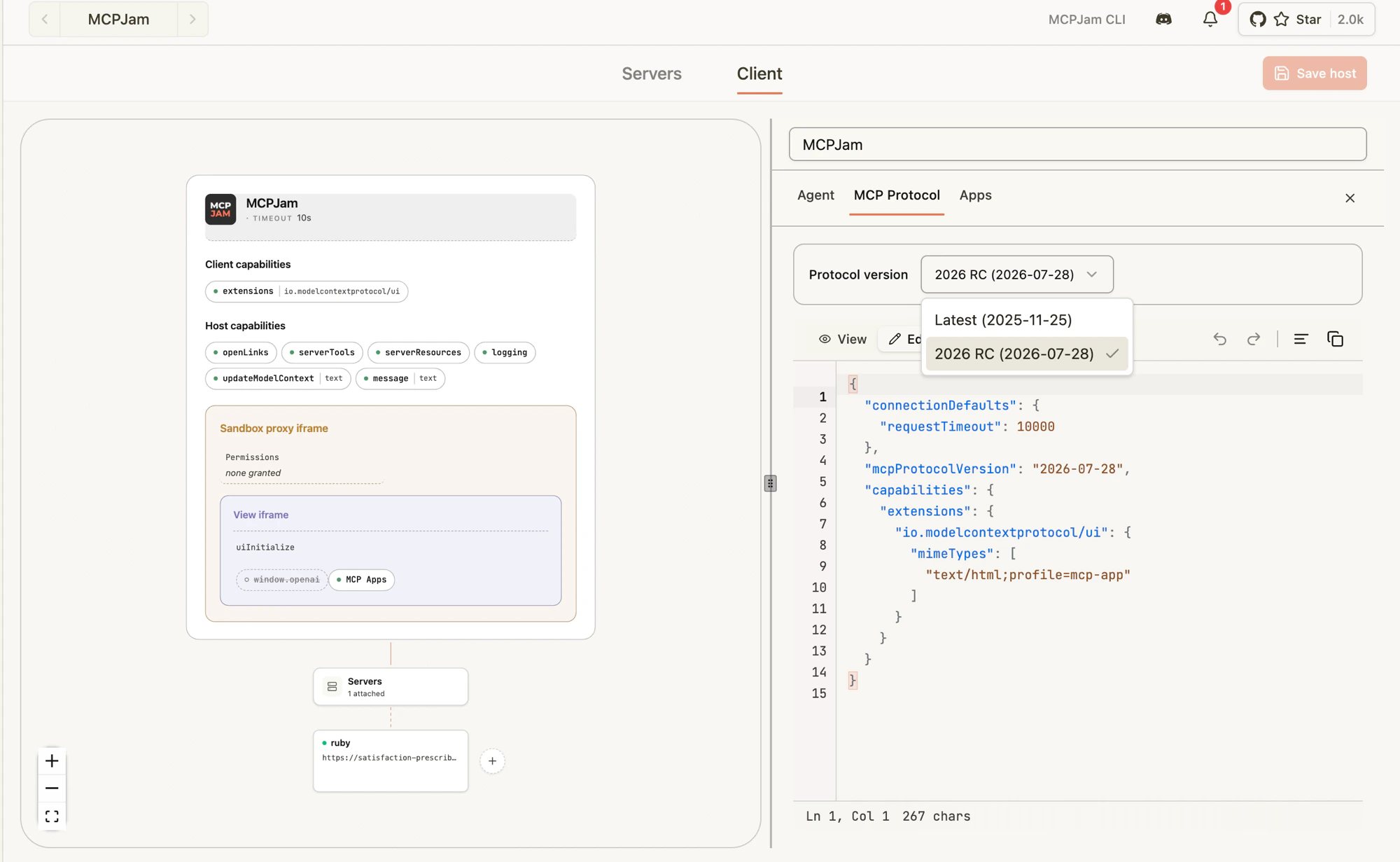
- Open the Clients tab.
- Pick the Client you want to edit (or create a new one).
- Open the MCP Protocol tab.
- In the Protocol version dropdown, pick Latest or 2026 RC (2026-07-28).
- Save.
Overriding a single server
- Go to the Servers tab.
- Click the three dots on the server card → Edit (or open View server info → Edit).
- Expand Advanced settings.
- Find Protocol version and pick Host default, Latest (2025-11-25), or 2026 RC (2026-07-28).
- Save and reconnect the server.
What changes when you pick the 2026 RC
If your server already speaks2026-07-28, you mostly won’t notice. A few things to know when you’re testing:
- No
initializehandshake. The inspector connects, immediately firesserver/discover, and uses the result to populate the server card’s name, version, capabilities, and instructions. - Per-request metadata. Every request the inspector sends carries
MCP-Protocol-Version: 2026-07-28as an HTTP header and the same value insideparams._meta["io.modelcontextprotocol/protocolVersion"].clientInfoandclientCapabilitiesride along on every request too. - No session IDs. The inspector never sends an
mcp-session-id. If your server returns one, the inspector discards it and surfaces a warning — your server isn’t conforming to the stateless RC. - Cancellation is closing the stream. For SSE responses, the inspector closes the response stream to cancel; your server should treat that as a cancel signal.
What the inspector tells you
- If your server doesn’t speak
2026-07-28,server/discoverreturns-32004 UnsupportedProtocolVersionErrorand the connection fails with the supported-versions list visible in the Activity log. - If your server is missing a capability the inspector needs for a request, you’ll get
-32003 MissingRequiredClientCapabilityback from your server — surface those in the Activity log to confirm they reach you. - The Activity log (server card → Activity) is the source of truth — every request and response, success or error, lands there so you can verify headers and
_metacontent.
Not yet supported in the RC client
The 2026 RC client is a preview. A handful of pieces from the SEP family aren’t wired up yet — if you try them, the inspector throws a labeled error instead of silently no-op’ing:subscriptions/listen(long-lived notification stream)- Server-initiated requests via MRTR /
InputRequiredResult(sampling, elicitation, listRoots embedded in responses) - Resumption tokens
- Backward-compat probes against pre-RC servers — if you point the RC client at an
initialize-only server it will fail atserver/discover, not fall back.
tools/list, tools/call, resources/*, prompts/*, OAuth refresh, custom headers, progress notifications — the RC client behaves like the legacy one.
Recommended testing flow
- Build a Client called something like
2026 RC sandboxwith MCP Protocol → 2026 RC as the host default. - Attach the HTTP server you’re upgrading.
- Connect — confirm the server card shows the server info populated from
server/discover(name, version, capabilities, instructions). - Run a
tools/listand atools/callfrom the Tools tab. - Watch the Activity log for the request
_metaand theMCP-Protocol-Versionheader. - Try an unsupported version on a second test server to confirm your
-32004error envelope looks right. - Once your server is happy on the RC, keep one Client on Latest so you can flip between versions without rewriting settings.
2026-07-28, the rest fall back to Latest.
Recommended reading
Background on the 2026-07-28 RC and the stateless direction the protocol is moving in:- MCP Is Growing Up — AAIF’s overview of what the 2026-07-28 RC means for teams building agentic systems.
- 2026-07-28 release candidate announcement — the official blog post walking through what the RC changes and why.
- MCP specification (draft) — the in-progress spec text the inspector’s RC client targets.